latest product updates from Evercut
last updated: 25.09.2026
New Feature
Give your captures depth
Add a 3D perspective

You can now give a capture a 3D look in the editor. Reposition and scale it on the canvas, adjust its tilt and rotation, then fine-tune the effect with depth blur. See the composition as you work and make the capture your own before exporting.
Official Launch
A new way to capture
Evercut is now live

Evercut is here. Capture your screen as a screenshot or recording, shape it in the editor, and share it when it’s ready. Whether you’re saving something for later or showing someone what you see, Evercut makes it easy to capture the moment and pass it along. Try it out and tell us what you think.
New Feature
Take it out of the editor
Publish and share online

Sharing is now built into Evercut. Publish a recording directly from the editor to share.evercut.app, then copy a link to send wherever it’s needed. Choose between public or private access, invite specific viewers, and decide whether comments are available. Your shared videos are also collected in the Shared Library, where you can update links, manage access, or disable a share.
New Feature
When the unexpected happens
Pick up right where you left off

If an unexpected restart or interruption closes the editor, Evercut keeps your latest work available to recover. When you open the app again, Continue editing takes you back to the project with the same editor state as before. Pick up where you left off without having to reopen the project or rebuild your work.
New Feature
Get more from your captures
Select and copy detected text

OCR makes it easier to use the text inside your screenshots. Evercut detects text automatically and lets you select a line, choose individual words, or copy everything at once. The new Select Text tool appears when text is found, keeping the capture editor focused while making extracted text easy to reuse.
New Feature
Make your backdrop pop
Introducing Wallpaper Effects

Wallpaper effects give you more control over the look of your captures. Choose from Blur, Noise, Dither, ASCII, Pixelate, and Monochrome, adjust their intensity, and combine multiple effects from the background settings. The result is shown in the preview and included in the final export.
Improvements
Put the dock where you work
Capture from any display
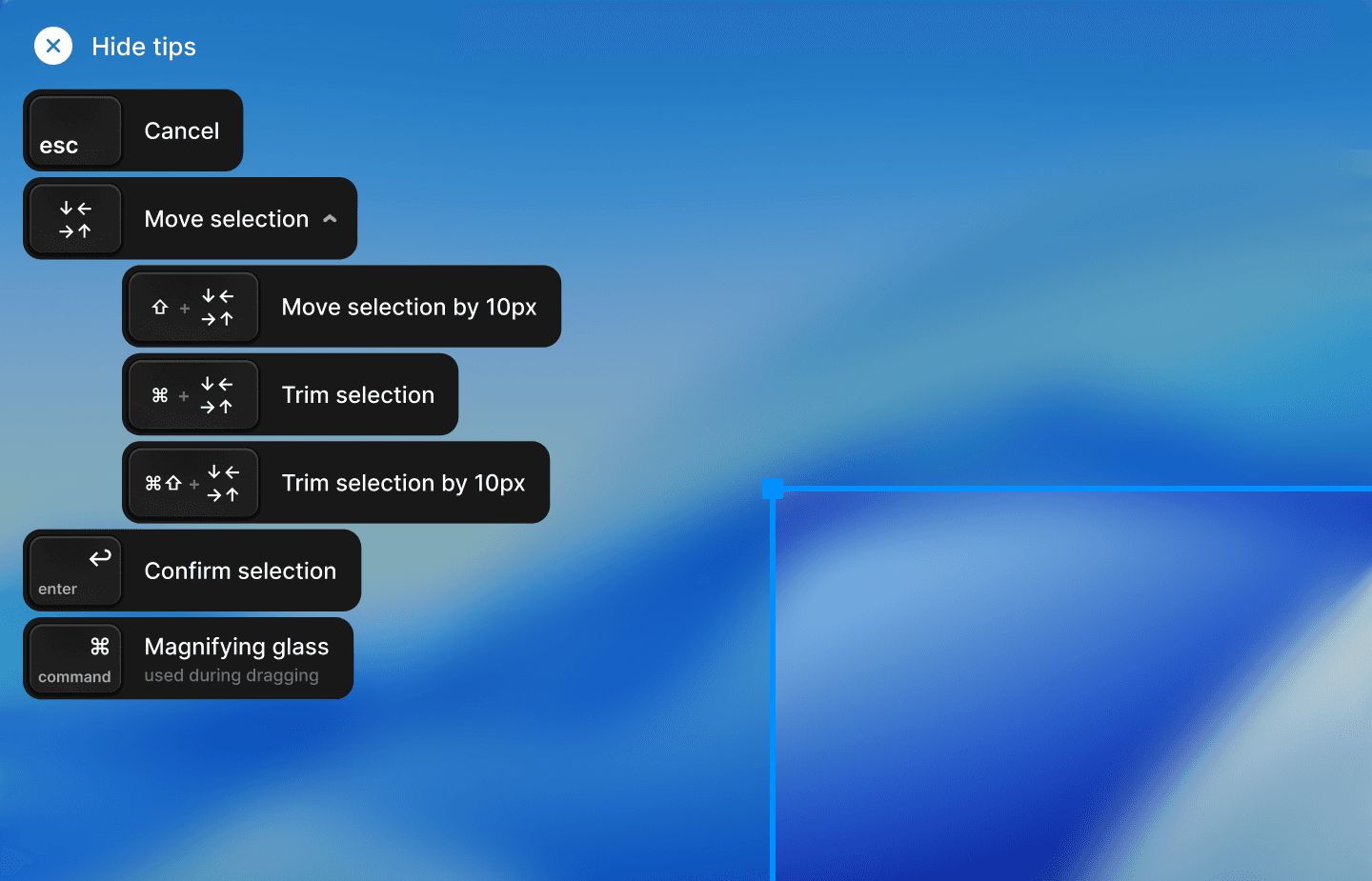
Evercut dock now makes it easier to move from setup to capture. Dock now moves between displays, stays above the macOS Dock, and transitions cleanly between capture, countdown, and recording. When drawing an area, shortcut tips in the top-left show how to move, resize, confirm, or magnify the selection.
Performance
A faster way to record
Smoother playback & better sync

Preview playback and recording are now smoother throughout the editor. We improved playback startup, camera synchronization, and preview rendering during zoom and animated transitions. Auto zoom has also been refined, making movement feel more natural while keeping the frame under control.
Product Launch
A new way to capture
Rolling out a Beta for Evercut

Beta of Evercut launches today.
It starts with a familiar moment: you see something on screen, want to keep it, and want someone else to see it too. Evercut gives that moment its own place, whether you need to send it straight away or take a little more time with it.
This is the first release. Use it, push it, and tell us what would make it more useful.